Retail queue management: How to reduce wait times
Long lines at checkout and service counters cost sales. See how queue management works, from staffing and layout to self-service.
Written by
Everseen
Read time
10 min
Published on
Oct 14, 2026
.jpg)
Long checkout lines cost retailers sales and negatively impact the customer experience. In a Forrester Consulting survey commissioned by Digimarc, 39% of shoppers said they had left a store without buying because of long lines, and 56% said they would likely switch stores for a better checkout experience.
Retailers use several strategies to keep queues moving, including staffing, lane layout, and self-service. Each addresses a different part of the problem, with its own trade-offs in cost, space, and shopper behavior.
Dynamic staffing and lane capacity based on demand
Staffing is one of the most direct ways to address checkout queues. Retailers typically either schedule labor around forecast demand (dynamic staffing) or reposition associates to the front end as queues build (floating staff).
Dynamic staffing
Dynamic staffing builds the schedule around expected demand. Based on historical data from sales, footfall, promotions, and similar occurrences, retailers place more cashiers in shifts where the shopper presence is expected to peak.
This strategy is most effective where demand follows a predictable pattern like evening rushes, weekends, and holidays. It is less effective when teams have no way to predict huge footfall surges caused by weather or a promotion that outperforms expectations.
Floating staff
The simple idea behind floating staff is adjusting for demand in the moment. Associates who work in other areas of the store move to a till when the queues start to build.
The trigger here is typically a simple rule based on queue length. Once a queue reaches a certain number of waiting shoppers, another lane is opened.
Floating works best in stores with unpredictable traffic or where a team can easily move between tasks. But it depends heavily on associates being trained across several roles so they can quickly switch without disrupting operations.
Queue layout and lane design for faster flow
Layout can significantly affect how quickly queues move. But retailers can't design a floor plan around checkout alone. They also have to balance merchandising, spacing, and easy access to high-demand goods.
Serpentine queues (single queue, multiple servers)
In a serpentine layout, shoppers join one line served by multiple open tills. The shopper at the front moves to the next available register, so no single transaction holds up the line. If a large basket or a payment error slows one till, customers queued behind aren’t stuck and can easily move to the next available one.
But serpentine queues have limitations like space and shopper preference. Shoppers have famously rejected the idea of a single line because it can stretch for long and feel slow. This is despite it being proven to be much faster than multiple queues.
The other limitation is space. A serpentine queue needs a dedicated area, even when queues are short, which may not be feasible in every retail environment.
Express lanes
Express lanes are reserved for shoppers with a small basket, typically 10 items or fewer. They keep the transactions quick and can be very useful at peak periods when small top-up shops and large weekly shops are in the store.
Self-checkout now fills this role in many stores.
Self-service and mobile checkout for simple transactions
Self-service lanes free up staffed tills by allowing customers to process their simple, low-complexity transactions individually. The industry has seen three models over the years with varying degrees of success and adoption: self-checkout lanes, scan-and-go, and checkout-free stores.
Self-checkout
Self-checkout is now a mainstream part of grocery retail. ECR Retail Loss found that 54% of transactions pass through self-checkout in stores where it is available. It is particularly convenient for shoppers who can scan their items, pay, and check out quickly. Supervisors only have to step in if a shopper requires assistance.
It works best for small and medium baskets, where scanning takes little time; staffed checkout still exists for larger item carts, age-restricted items, or shoppers who prefer a cashier.
The problem with self-checkout is shrink and loss, with stores with self-checkout averaging 1.96% shrinkage compared to 1.35% in stores without it.
Checkout-free stores
Checkout-free stores use Computer Vision to catalogue what a shopper picks, and they simply pay as they exit by tapping their card. This speeds up the checkout process and removes queues.
One example of checkout-free technology in deployment today is Amazon's Just Walk Out, where cameras track what shoppers pick up and the RFID tags read soft goods like clothing.
These are best suited to high-traffic areas, and Amazon’s solution specifically is being deployed in pop-up stores and at concerts and big game events.
Scan-and-go
With scan-and-go, shoppers scan items as they shop, using their phone camera, then pay in the app or at a dedicated point. Here, the scanning step moves from checkout and is completed throughout the shopping experience.
Retailers that adopted a version of this technology in the past include ShopRite, Wegmans, and Giant Eagle. More recently, ShopRite has rolled out AI-powered cart technology that runs on a similar principle: The carts are linked to customers' loyalty cards, and every item placed is scanned by in-built sensors.
These strategies can reduce wait times, but they typically depend on large-scale rollouts of new technology, such as apps and AI-powered carts, with real operational and cost implications. They can improve other parts of the shopper experience, but for queue management alone, the investment can be hard to justify.
Queue analytics and real-time alerts
Queue analytics gives managers a live view of how many shoppers are waiting and for how long. Cameras or sensors at checkout and at service counters measure queue length and wait times, and, depending on the thresholds set, the system sends an alert, allowing staff to step in and open more lanes. Evereagle, part of Everseen's Store Intelligence solutions, is one example in active deployment today.
Queue analytics can extend to footfall forecasting, which helps managers anticipate increased traffic. It is most useful in large stores and multi-store estates, where managers have many lanes and competing priorities to track.
Wait-time signage and distractions that shorten perceived waits
Shoppers in a queue can overestimate wait times by up to 36%, so adjusting perceived wait times can have just as much of an impact on the overall customer experience. Two main approaches retailers use here are signage and distractions.
Wait-time signage
Wait-time signage displays an estimated wait or info on the next available lane. The idea is to remove the uncertainty associated with waiting since unknown lengths tend to feel longer.
Wait time signage is most helpful in retail formats where the queue is not visible, or the wait time can be hard to judge by eye, like deli counters, pharmacies, and click-and-collect desks.
Distractions
Distractions can occupy attention while shoppers wait and include screens, displays, and impulse-buy zones near the front end.
Like other queue management strategies, they work best during busy periods and long queue times. The trade-off of this strategy is that they shorten the perceived wait without actually reducing it.
Virtual queuing and appointment scheduling for longer waits
Both of these tools are useful for environments with long, unpredictable waits, and they free up shopper time by allowing them to attend to other activities.
Neither suits standard checkout lanes, as waits are relatively short and customers are already present with nothing else to do while they wait. But both can work at service counters in larger stores and grocery retail environments.
Virtual queuing
Virtual queuing lets shoppers join a digital line and receive a notification when it is their turn, so they can leave and return. It is used at pharmacies, service desks, and product launches, where waits are long enough to make leaving and returning worth it.
Appointment scheduling
Appointment scheduling books a time slot in advance. In grocery retail formats, it is used in click-and-collect, where items need to be staged before the shopper arrives.
Everseen's Vision AI for queue and checkout operations
Queue strategies work best when teams know what is happening at checkouts and counters, while there is still time to act. Everseen's Store Intelligence provides that live view, covering the entire shopper journey as they move through the store, and especially at checkout, where queues can cause wait, delays, and even cart abandonment.
In larger stores, queues often extend to the pharmacy, the bakery, the fish counter, and other service points, and customers often get no visible sign of how long they'll be. Everseen's Store Intelligence applies the same live view and forecasting to these areas, so teams can respond wherever a queue is building.
Cameras above the checkout area feed Everseen’s Vision AI, which measures queue length as shoppers line up at checkout. When wait times and queue lengths are forecast to reach a threshold, it triggers an alert that lets a team member know a bottleneck is forming.
The threshold can be adjusted to fit each store's service policy. Based on current conditions, the system forecasts how many lanes need to be open and by when, so teams can act. The benefit is that the store can open lanes and assign cashiers before long waits start to form.
Everseen's store intelligence also supports efficiencies elsewhere in the store. For example, instead of floating staff being pulled from other duties at short notice, forecasting helps managers make these decisions ahead of time. That means fewer impromptu interruptions.
The table below explains how Store Intelligence integrates with other forms of queue management in deployment today.
Beyond queues: Vision AI across checkout and store operations
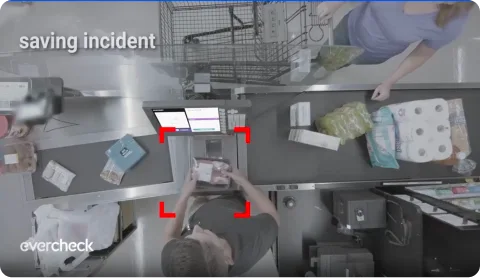
Everseen's Vision AI also works throughout the store. At the till, Checkout Intelligence uses Vision AI to detect loss, catching patterns like missed scans and product switching as they happen.
Data intelligence brings what is happening at the queues and checkout together in one unified view. Teams can query their data through a conversational interface, asking questions in plain language to understand what is happening across store operations and why metrics are changing.
Contact the Everseen team to learn more about how Vision AI supports queue and checkout operations across your stores.
Subscribe to the blog
Subscribe to Everseen's blog to receive emails about new posts and resources.